



IRS Direct Pay: A visual step-through
This visual guide walks you through making a secure electronic payment to the IRS using Direct Pay – with clear screenshots of every step. Whether you’re paying a balance due, an extension or an estimated payment, you’ll see exactly where to click and what to enter so your payment is credited to the correct tax year. IRS’s no-cost way to pay directly from your bank account. Follow along from start to finish – what to select, what information to have handy and how to confirm submission – so you can make an electronic payment with clarity and peace of mind.
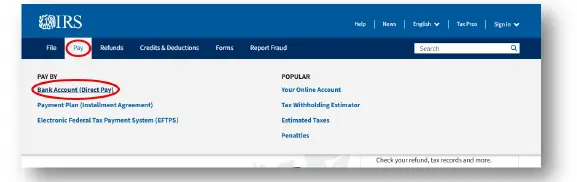
To begin: Go to IRS.gov, select Pay, then choose Pay By and from the drop-down menu select Bank Account (Direct Pay).
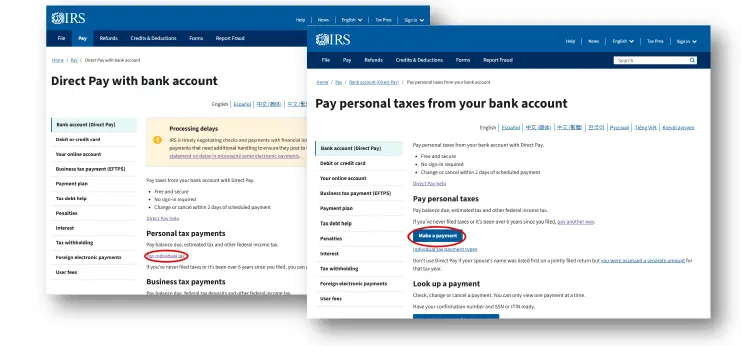
Step 1
Select the Reason for Payment from the first dropdown.
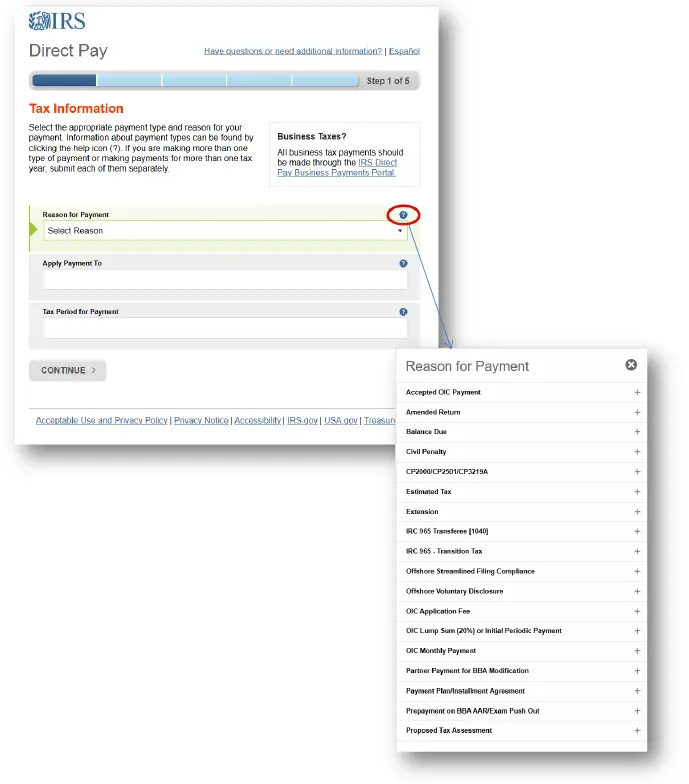
Step 2
Identity verification is required at this stage. To proceed, you will need to provide the following information:
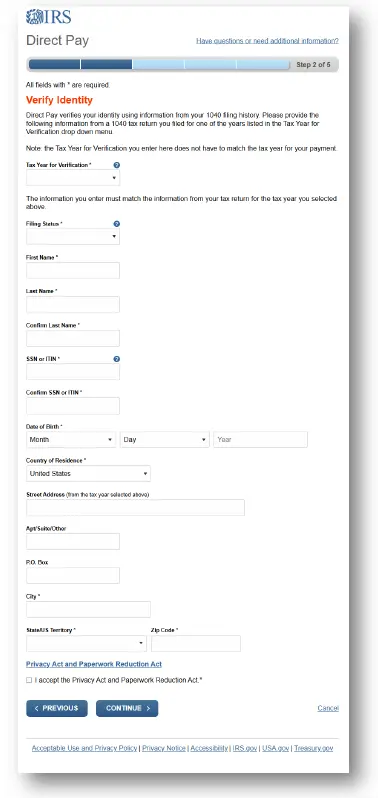
Step 3
At this step, you’ll enter all required payment details, including the payment amount, scheduled payment date, and your bank account information. Be sure to have your routing number, account number, and the appropriate account type readily available. You will also be asked to provide the email address where you would like to receive your payment confirmation.
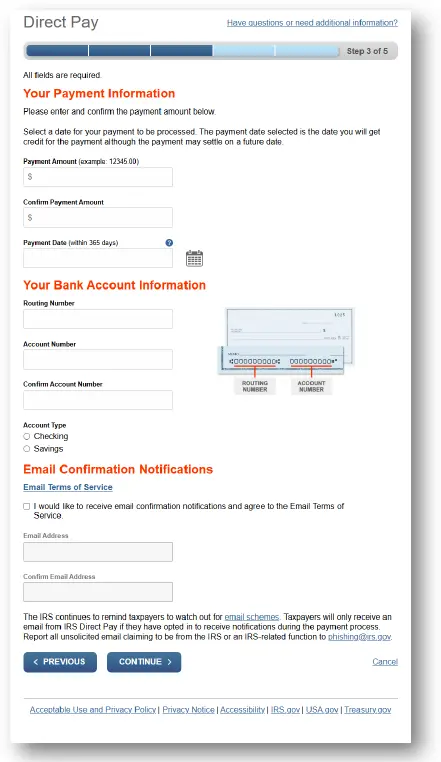
Step 3 (cont.)
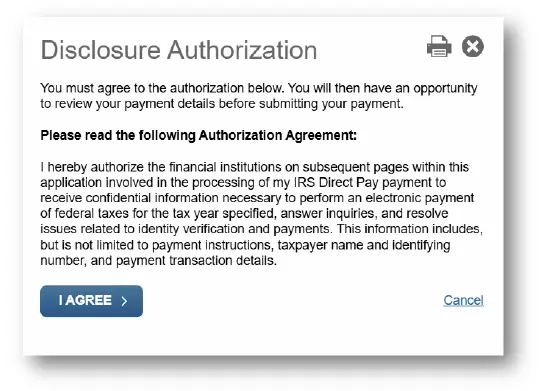
Before continuing to the next step, a pop-up will appear asking for Disclosure Authorization.
Step 4
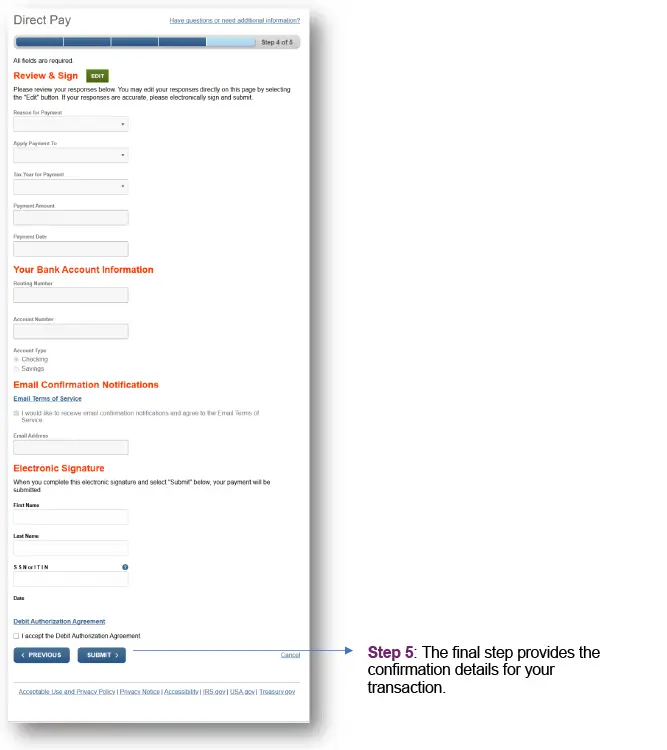
This section allows you to Review all previously entered information, including your Payment details, Your Bank Account Information and the email address designated for Email Confirmation Notifications. You will also provide your Electronic Signature to authorize the payment.
Step 5
The final step provides the confirmation details for your transaction.
Summary of information needed to successfully make an IRS payment using Direct Pay:
- Verification details: Personal information from a previously filed tax return (e.g., filing status, address and tax year information) to complete the identity-verification step.
- Payment information: The type of payment being made (such as balance due, estimated tax or extension), the tax year to which the payment applies and the payment amount.
- Banking information: A valid U.S. bank account, including the routing number, account number and account type (checking or savings)
- Scheduling details: The desired payment date, which may be the current date or a scheduled future date.
- Email address: An email address where you would like to receive confirmation of the transaction.
Having this information organized in advance ensures the Direct Pay process proceeds smoothly and helps avoid delays or verification issues.
In applying the tax guidance included in this resource, the practitioner should, using professional judgment, assess the relevance and appropriateness of such guidance to specific circumstances.
The tax guidance in this document has been reviewed by the AICPA Tax Division staff.
This resource is provided exclusively to AICPA Tax Section members and should not be shared, reproduced or used by anyone who is not a member of the AICPA Tax Section without explicit
consent from the AICPA. See our terms and conditions. For information about obtaining permission to use this material other than for its intended use, please email copyright-permissions@aicpa-cima.com.